How to deal with time
Working with time in software is hard because local time, instants, zones, and clocks interact in non-obvious ways. This guide covers each concept, and how to avoid common mistakes.
Two kinds of time
When we mention time, we could be referring to two different concepts: the local time, or a point in time.
The local time refers to the time at a specific place. Your local time is what your phone or wall clock shows. If you were to call your friend living on the other side of the planet and ask what their wall clock is showing, it would be very different.
A point in time, or instant, is the same for everyone. While you are on that call with your friend, you are both speaking at the same instant, even though your wall clocks read differently. It does not depend on where either of you is.
The mapping between instants and local times is many-to-many: a single instant shows up as different local times across cities, and a single local time happens at different instants.
Civil time is messy
Time zones, UTC, and offsets
A time zone is a region that shares a single wall-clock time. If you moved to a different time zone, that local time might differ.
Every time zone has an offset from the primary time standard, UTC (Coordinated Universal Time). UTC, being the standard, has the offset +00:00. Most offsets are in whole hours (Tokyo: +09:00, Argentina: -03:00), some are 30 minutes off (India: +05:30, Iran: +03:30), and a few are 45 minutes off (Nepal: +05:45). Until 1972, some zones specified offsets down to the second.
A zone’s offset is not fixed. America/Los_Angeles runs at -08:00 in winter and -07:00 in summer, so the same instant maps to different local times depending on the date. Regions can change too. Russia, for example, has moved Udmurtia between Moscow Time and Samara Time more than once.
Because the rules can’t be derived, they live in databases (see IANA Time Zone Database) that get updated several times a year.
Daylight Saving Time
Daylight Saving Time shifts a zone’s offset for part of the year, usually by one hour.1 Regions that observe it spring forward in their local spring and fall back in their local autumn.
The exact dates of the shift have changed multiple times within living memory. In 2007, the United States moved its start date from the first Sunday of April to the second Sunday of March, breaking every program that had hard-coded the old one.
Whether a region observes DST at all is also not fixed. Russia, for example, stopped switching in 2011 and settled on permanent standard time in 2014.
Skipped and ambiguous local times
When a zone springs forward, an hour of local time disappears. When it falls back, an hour repeats.
A skipped local time never existed. In America/New_York on 2024-03-10, the local clock jumped from 01:59:59 straight to 03:00:00. “02:30” on that date in that zone doesn’t point to any instant, and software that tries to construct it has to decide what to do. Different libraries pick different defaults: some throw, some round to a nearby valid time, some shift forward by the gap.
An ambiguous local time corresponds to two instants. In America/New_York on 2024-11-03, the local clock went from 01:59:59 back to 01:00:00, replaying the 1:00 hour at the new offset. “01:30” on that date matches both the first occurrence (-04:00) and the second (-05:00). Software has to pick one, or refuse and ask the user which they meant.
These cases show up in alarms, calendars, and any code that constructs future local times. Tests that include March 10 or November 3 in a U.S. zone, or the equivalent dates in any DST zone, tend to surface skipped- and ambiguous-time handling bugs.
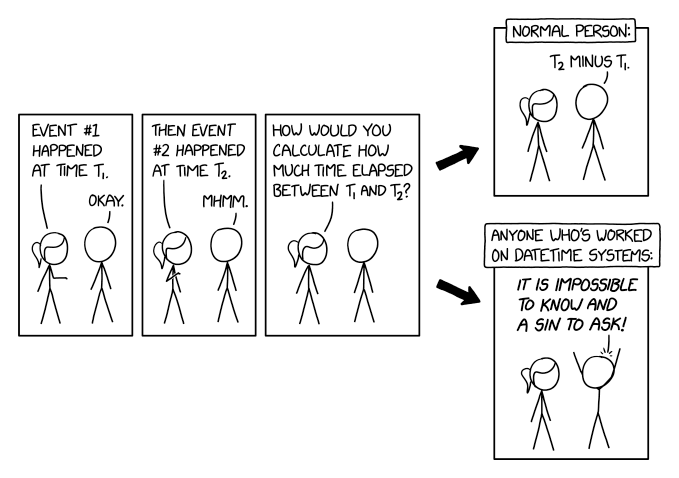
xkcd 2867 by Randall Munroe (CC BY-NC 2.5)
IANA Time Zone Database
The IANA Time Zone Database (also called tz database, tzdata, tzdb, or zoneinfo) ships in all major operating systems and browsers, except Windows.2
It uses a combination of area and location as identifiers for time zones. Area may refer to continents or oceans (Asia, America, Pacific), and locations are usually cities (Seoul, London, San Francisco). Some examples are Asia/Seoul, America/New_York, and Etc/UTC.
The rules change several times a year as countries amend them. A server running last year’s tzdata silently produces wrong offsets for any zone whose rules have changed, so it is worth updating on a schedule.
Calendar systems
A calendar groups days into months and years, independent of time zones. The Gregorian calendar is the international civil standard, though others are also used, such as:
- Ethiopia — Ethiopian calendar (13 months)
- Iran — Solar Hijri (Persian) calendar
- Nepal — Vikram Samvat (Bikram Sambat) lunisolar calendar
Astronomical and historical software may need calendar support for dates before the calendar itself existed. A proleptic calendar handles this by applying modern rules backwards: proleptic Gregorian for dates before 1582, proleptic Julian for dates before 45 BCE. Different countries also adopted Gregorian at different times, so converting historical dates accurately requires knowing the country of origin.
Handling different calendar systems becomes unavoidable when displaying dates in user locales, scheduling religious or national holidays, or handling historical records.
Leap years
The Earth orbits the sun in roughly 365.2422 days. The Gregorian calendar uses a leap year, which introduces an extra day (February 29th) to account for the extra fraction. Leap years are years that are divisible by 4, except centuries (divisible by 100), except for centuries that are also divisible by 400. So 1900 was not a leap year, but 2000 was.
Leap-year bugs are common as many assume that February will always have 28 days. Microsoft Azure’s 2012 leap-day outage came from exactly this bug in certificate generation, taking the platform down for most of February 29.
Leap seconds
As the Earth’s rotation is uneven, atomic time and astronomical time drift apart. UTC accounts for this by adding or removing a leap second when needed. Since 1972, there have been 27 leap seconds, all positive (a 23:59:60 appended to the day). A negative leap second (23:59:58 straight to 00:00:00) has never been inserted, but the Earth has been spinning faster since around 2020 and one is plausible before 2035.
In 2022, the General Conference on Weights and Measures voted to widen the UT1−UTC tolerance by or before 2035, effectively pausing routine insertions for at least a century. The operational cost (past insertions caused outages at Reddit, Cloudflare, and others) has outweighed the astronomical benefit.
Most software does not handle 23:59:60 correctly, and almost none has been tested against a negative leap second. POSIX time_t pretends leap seconds do not exist and either repeats the prior second or smears the extra second across many minutes (Google’s leap smear). Unless the application is GPS, telecommunications, or financial trading, a smearing or repeating clock is enough. Leap seconds are probably not worth handling explicitly.
Much about clocks
Wall clock vs. monotonic clock
Most platforms expose two clocks, and they answer different questions.
The wall clock tells you what time it is. It tracks the real-world date and time and stays roughly aligned with an external reference via NTP. Because it is corrected, it can jump forward when it has fallen behind, or back when it is ahead.
The monotonic clock tells you how long something took. It counts upward from an arbitrary reference at a steady rate, and never goes backwards.
| Clock | Can it jump? | Useful for | Returned by |
|---|---|---|---|
| Wall | Yes, forward and back | Getting an instant | Date.now(), time.time(), clock_gettime(CLOCK_REALTIME) |
| Monotonic | No | Measuring a duration | performance.now(), time.monotonic(), clock_gettime(CLOCK_MONOTONIC) |
If you measure a duration on the wall clock, t2 - t1 can come out negative even when t2 follows t1; the bug only fires when an NTP correction lands inside the measured window. Below, an NTP step skips the wall clock while the monotonic clock keeps counting.
The monotonic clock has the opposite failure mode. Its reference is meaningless across processes, reboots, and machines, so serializing a monotonic value to a database or sending one over the network produces garbage on the other side.
Network Time Protocol
NTP synchronizes a machine’s wall clock against an external time source. Modern daemons (chrony, ntpd, systemd-timesyncd) slew the clock for small offsets, speeding it up or slowing it down imperceptibly until it matches. For large offsets they step the clock, snapping it instantly. The threshold is configurable; the defaults are around 128 milliseconds for ntpd and one second for chrony.
Clock drift and non-monotonic timestamps
Even without NTP, two computers’ clocks will disagree. Quartz oscillators drift by 10 to 100 parts per million depending on temperature and age, which amounts to tens of seconds per month. A server that timestamps incoming events using its own wall clock will record events out of order across machines. A client and server that compare timestamps directly might therefore see future-dated requests and past-dated responses.
The fix is not to assume timestamps from different clocks have a total order. Use a logical clock, server-stamped sequence numbers, or accept that the order is approximate.
Precision
A timestamp’s precision is the smallest unit it can distinguish. Most APIs return milliseconds (ms) while high-resolution APIs return microseconds (µs) or nanoseconds (ns). Older systems and many database columns store seconds (s).
Mismatched precision breaks comparisons. A timestamp written as milliseconds and read back as seconds is off by a factor of 1,000, and truncated timestamps will lose ordering information.
When storing timestamps, pick the precision the storage layer supports, and be mindful of the boundaries between units to avoid bugs.
Time arithmetic
We have met two of the three pieces. An instant is a point on the timeline. A duration is a length of time with no anchor (e.g. 3 hours). The third is an interval: the span between two instants, written <start>/<end> or <start>/<duration>. For example, “17:30Z to 20:30Z on 2024-03-10” is an interval.
The arithmetic follows from the definitions:
- Instant - Instant = Duration
- Instant ± Duration = Instant
- Duration ± Duration = Duration
- Local Time - Local Time = Duration (mind zone and DST transitions)
Use a library that gives each of these its own type. Without it, mixing instants and durations is easy.
Serializing time
ISO 8601 and RFC 3339
ISO 8601 is the broad textual standard for dates, times, durations, and intervals. RFC 3339 is a stricter profile designed for internet protocols, narrowing it down to a single unambiguous form.
Use RFC 3339 for JSON APIs, REST endpoints, and most software-to-software exchange. Broader ISO 8601 is used elsewhere: log files, ICS calendar feeds, scientific data, filename-safe basic format.
| Form | ISO 8601 | RFC 3339 | RFC 3339 notes |
|---|---|---|---|
2024-03-10T17:30:00Z |
✓ | ✓ | |
2024-03-10T17:30:00.123Z |
✓ | ✓ | |
2024-03-10T17:30:00+09:00 |
✓ | ✓ | |
2024-03-10T17:30:00 (no offset) |
✓ | ✗ | requires Z or an explicit offset |
2024-03-10 17:30:00Z (space separator) |
✓ | ✗ | canonical form requires T |
20240310T173000Z (basic) |
✓ | ✗ | requires extended format with separators |
2024-W11-7 (week date) |
✓ | ✗ | requires calendar dates |
2024-070 (ordinal date) |
✓ | ✗ | requires calendar dates |
2024-03-10T17:30:00,123Z (comma) |
✓ | ✗ | specifies a period as the decimal separator |
When in doubt, emit YYYY-MM-DDTHH:mm:ss[.sss](Z|±HH:MM).
Unix timestamp
A Unix timestamp is the count of elapsed seconds since 1970-01-01T00:00:00Z, ignoring leap seconds. It is a single integer, sortable, and unambiguous about zone. Two Unix timestamps with the same value name the same moment, regardless of where the machines that produced them were.
Negative values are valid and represent dates before 1970. Libraries that reject them are wrong.
| Unit | Range (signed 64-bit) | Common use | Gotcha |
|---|---|---|---|
| Seconds | ±292 billion years | POSIX time_t, SQL TIMESTAMP |
32-bit overflow in 2038 |
| Milliseconds | ±292 million years | JavaScript Date.now() |
Confused with seconds; off by 1,000 |
| Microseconds | ±292,000 years | Postgres timestamp, Linux gettimeofday |
APIs disagree on truncate vs. round |
| Nanoseconds | ±292 years | Go time.Time, high-resolution clocks |
Wraps a 64-bit int over long horizons |
The recurring bug is mixing units silently. JavaScript hands out milliseconds, most other ecosystems hand out seconds, and database drivers split the difference. Convert at the boundary, and put the unit in the variable name (expiresAtMs, not expiresAt) when it crosses a layer.
Epoch overflow
A 32-bit signed integer counting seconds from 1970-01-01 UTC overflows on 2038-01-19 at 03:14:07 UTC. After the rollover it wraps to a negative number representing 1901. As a result, most modern systems have moved to 64-bit time_t.
JSON
JSON has no time type. The convention is an ISO 8601 / RFC 3339 string with a Z or explicit offset: "2024-03-10T17:30:00.000Z". It is human-readable, sorts lexicographically when the zone and precision are fixed, and round-trips through every parser.
The alternative is a numeric Unix timestamp. It is more compact and faster to parse, but the unit is invisible. A payload with "expiresAt": 1710091800 is unreadable without out-of-band knowledge of whether that’s seconds or milliseconds. Pick one encoding per API and document the unit.
In practice
Storing
Store the data based on what it means, not on how the application happens to display it:
| Use case | Example use case | Representation | Type |
|---|---|---|---|
| Absolute event | “User logged in at 2024-03-10T17:30:00Z” | UTC instant | TIMESTAMPTZ or Unix epoch int |
| Recurring local event | “Alarm at 06:00 in Europe/London, weekdays” |
Local time + IANA zone + RFC 5545 RRULE | TIME + TEXT + TEXT |
| Duration | “Maximum session duration: 30 minutes” | Length, no anchor | INTERVAL or ISO 8601 duration string |
Despite the name, Postgres’ TIMESTAMP WITH TIME ZONE discards the zone after normalizing the input to UTC. To preserve it alongside the instant, use a separate column.
Recurring local events break if stored as instants. An alarm set for 6:00 AM in London should ring at 6:00 UTC before DST starts and at 5:00 UTC after, two different instants for the same local time. Storing the instant locks in one of those and breaks the alarm at the next transition.
Parsing
Parsing user input is unreliable. “2-10-1980” is October 2nd in most of the world but February 10th in the United States. “11/12/24” could be three different dates depending on the reader’s expectations.
In order of preference, if you have to parse user input:
- a date picker (no parsing)
- a placeholder showing the expected format in the user’s locale
- a structured form with separate day/month/year fields
For machine input, accept RFC 3339 only and reject everything else. Permissive parsers are the source of most date bugs that survive code review.
Formatting
There are two kinds of output, two rules:
Absolute output (“2024-03-10 at 5:30 PM”) answers “when did this happen?” Render in the user’s preferred zone and locale. Browsers expose the zone via Intl.DateTimeFormat().resolvedOptions().timeZone. Allow the user to override it if accuracy matters more than convenience.
Relative output (“two hours ago”, “tomorrow at 6”) answers “how recently?” or “how soon?” The granularity is application-specific: chat apps round to the minute, news apps round to the day. There is no standard, but Intl.RelativeTimeFormat covers most needs in browsers.
Do not round-trip through toLocaleString to convert zones. The pattern new Date(date.toLocaleString("en-US", {timeZone: "..."})) parses an ambiguous string, loses sub-second precision, and breaks on DST transitions. Use a library that does the conversion arithmetically, or use the Temporal API.
Testing
Time-handling code is the textbook case for dependency injection. Domain code that calls Date.now(), time.time(), or clock_gettime directly is untestable. Refactor to take a clock argument or read from a Clock interface instead. OS-level fakes (libfaketime, freezegun) work, but they affect every clock the process touches and tend to leak between tests.
Pick test instants that exercise the edges:
- A DST spring-forward gap and a fall-back overlap in the application’s primary zone.
- The last day of a leap year (
2024-02-29) and the first day of a non-leap century year (2100-03-01). - The 2038 boundary (
2038-01-19T03:14:07Z), if any persisted timestamps use 32-bit storage. - Year boundaries in zones that observe non-Gregorian calendars, if relevant.
Libraries
Reach for a library, avoid writing your own.
- JavaScript / TypeScript: use Temporal, with a polyfill for older runtimes. If you need to stay on
Datefor now,date-fns(withdate-fns-tzfor zones) or Luxon are reasonable. Moment has been in maintenance mode since 2020. - Java:
java.time(JSR-310, since Java 8). UseInstant,ZonedDateTime, andDuration. Treatjava.util.DateandCalendaras legacy. - .NET: Noda Time. The built-in
DateTimeconflates instants and local times and uses Windows zone identifiers; Noda Time keeps the types distinct and uses IANA. See Jon Skeet’s writeup for the rationale. - Python: the standard
datetimemodule is ok as long as every datetime is timezone-aware (i.e.datetime.now(UTC), neverdatetime.now()). For zone arithmetic,zoneinfo(3.9+) replacespytz. - Go: the standard
timepackage is sufficient.time.Timecarries both wall and monotonic readings. - Rust:
std::timecovers monotonic and system clocks but has no zone support. Reach forjifforchronofor civil time and IANA zones.
Glossary
Canonical terms
| Term | Definition | Library equivalent |
|---|---|---|
| Instant | A point on the universal timeline | Temporal.Instant, java.time.Instant |
| Local time | A time as read on a wall clock at some location | Temporal.PlainDateTime, java.time.LocalDateTime |
| Time zone | A region’s rules for converting instants to local time | Temporal.TimeZone, java.time.ZoneId |
| Offset | The signed difference from UTC at a given instant | Temporal.TimeZone offset, java.time.ZoneOffset |
| Wall clock | The system clock that tracks real-world time and may jump | Date.now(), clock_gettime(CLOCK_REALTIME) |
| Monotonic clock | A clock that only moves forward at a steady rate | performance.now(), clock_gettime(CLOCK_MONOTONIC) |
| Duration | A length of time with no anchor | Temporal.Duration, java.time.Duration |
| Interval | A span between two instants | Interval, but rarely first-class |
| Skipped local time | A local time that does not exist due to a DST spring-forward gap | surfaced as an exception or fold policy |
| Ambiguous local time | A local time that names two instants due to a DST fall-back overlap | surfaced as a disambiguation enum |
| Daylight Saving Time | A seasonal one-hour shift to a zone’s offset | encoded in the IANA tz database |
Aliases and synonyms
| Alias | Canonical term | Notes |
|---|---|---|
| Point in time | Instant | |
| Absolute time | Instant | |
| Civil time | Local time | Used in Noda Time and some standards. |
| Real-time clock | Wall clock | Hardware term. |
| Epoch time | Unix timestamp | Refers specifically to the Unix epoch (1970-01-01) |
| Date-time | Local time or instant | Underspecified as it depends on whether a zone is attached |
Avoided terms
| Term | Why avoided |
|---|---|
| GMT | Often used as a synonym for UTC, but the two diverge by up to 0.9 seconds |
| Moment | Ambiguous as it could mean either instant or a short span of time. |
| Local timestamp | Ambiguous as it mixes “local time” (no zone) with “timestamp” (an instant). |
| Daylight Savings | Incorrect, should be “Daylight Saving” (singular). |
| Naive datetime | Refers to a datetime without zone info. Say “local time” instead. |
Further reading
- Falsehoods programmers believe about time: a maintained list of edge cases worth scanning before designing time-handling code.
- IANA Time Zone Database: the source of truth, with release notes documenting every rule change.
- Temporal proposal: the JavaScript replacement for
Date, including a clear taxonomy of types. - What’s wrong with DateTime, anyway?: Jon Skeet on why .NET’s
DateTimeis broken and what Noda Time does instead.
Footnotes
-
Almost always one hour, but not quite always. Lord Howe Island shifts by 30 minutes, and the Troll research station in Antarctica shifts by two. ↩
-
Windows ships its own time zone database with a different identifier scheme (
Pacific Standard Timerather thanAmerica/Los_Angeles), and Edge has used IANA identifiers since switching to Chromium in 2020. The canonical Windows-to-IANA mapping lives in CLDR’swindowsZones.xml. ↩